Windows · Windows 10 / 11 (64-bit)
DiskWatch
Drive C suddenly full? See what is taking the space, and free it safely.
Windows drive monitor and cleaner: folders and files sorted by size, 40+ rules that tell you what is safe to delete, and an alert when the drive suddenly fills up, naming the file that is growing.
750,000 Toman / year · Yearly renewal: 750,000 Toman
Already bought it? Renew your license · Track an order
What it does
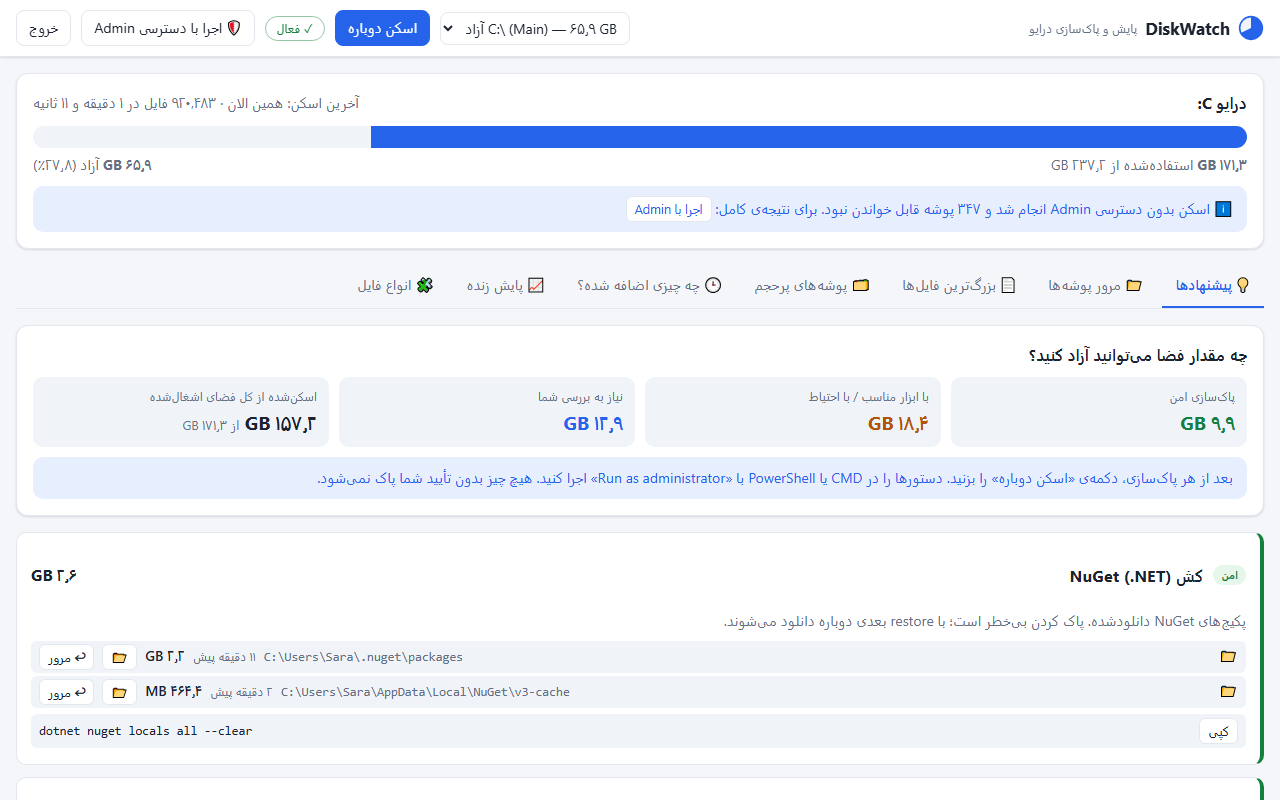
- Cleanup advice with a risk level 40+ rules for the usual suspects: Temp, the Windows Update cache, hiberfil, browser and Telegram caches, NuGet and npm, Docker and WSL, SQL and IIS logs. Each is marked safe, careful, review or keep.
- One-click cleanup The Recycle Bin, old temp files, caches of closed browsers and crash dumps are cleared with one click, after you confirm.
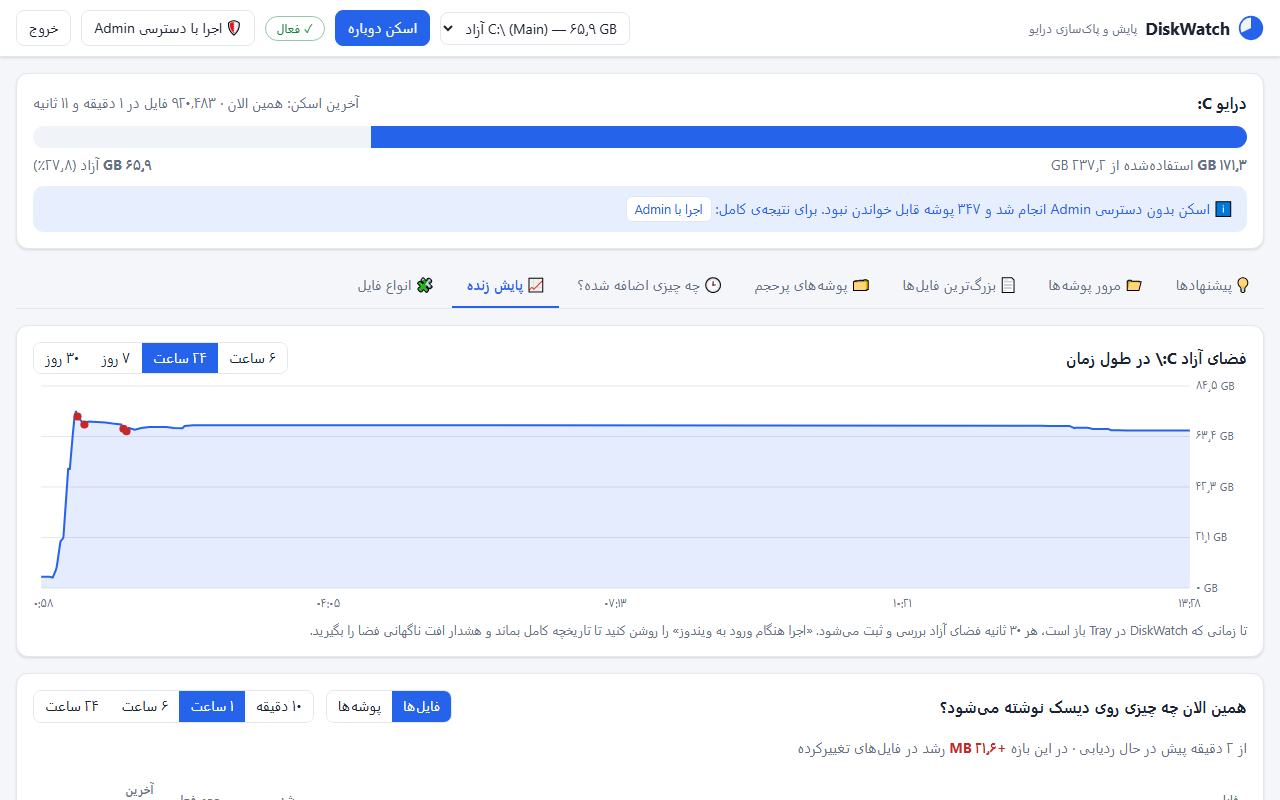
- What is filling the drive right now? Live monitoring lists the files being written and growing. If gigabytes disappear within minutes, you get a Windows notification.
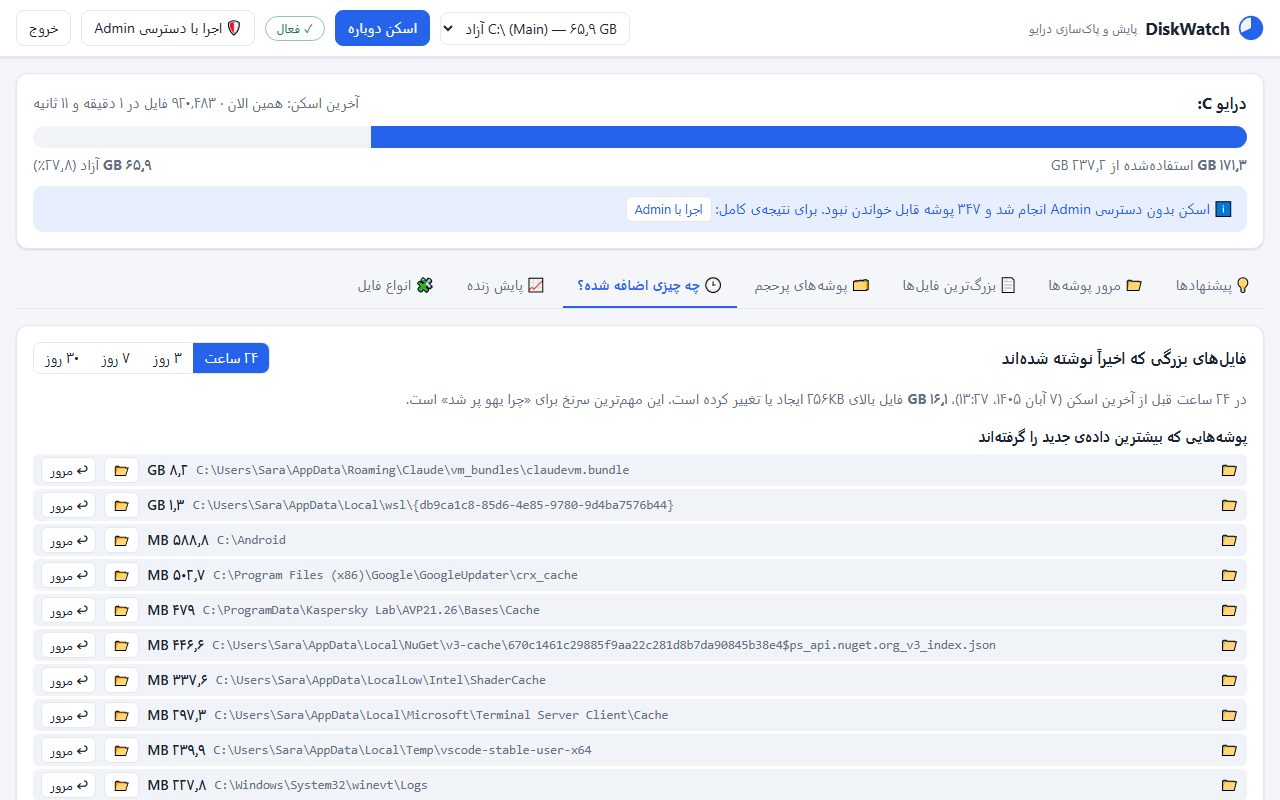
- Compare scans Folder sizes are saved after every scan; comparing two scans shows exactly which folder grew in between.
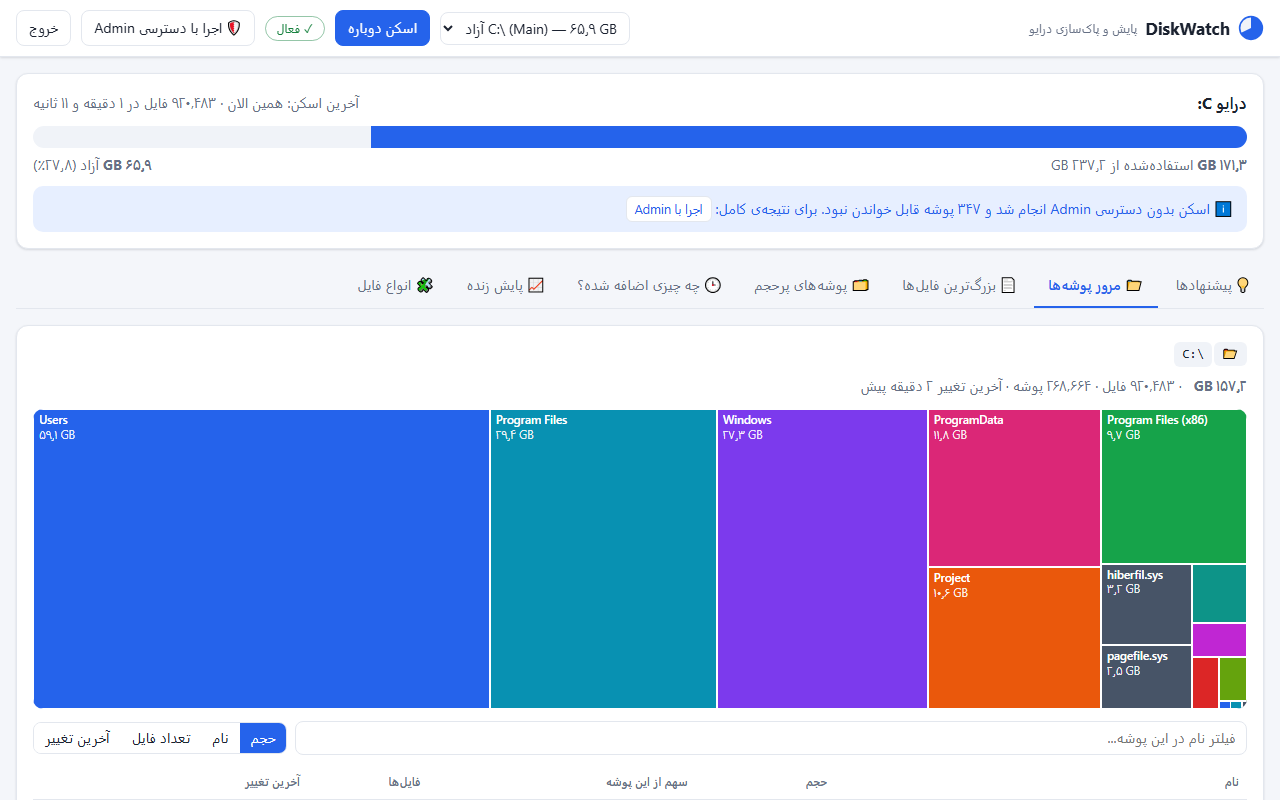
- Tree view and treemap The whole drive sorted by size, a colour treemap, the largest files, and the folders that hold the most data themselves.
- A quick scan in seconds The first time, known folders are checked within seconds, so you see results before the full scan finishes.
Why I built it
My drive C kept filling up for no obvious reason: 6 GB free one day, 4 GB a few hours later. The usual tools told me which folder was big, but not what was safe to delete or what was filling the drive right now.
That is what DiskWatch does. Its first scan of my own machine found 21 GB in Docker's virtual disk, 11 GB in the NuGet cache and several gigabytes of screen recordings from an AI tool: things I would never have gone looking for.
How it works
- Scan: known folders in seconds, then the whole drive. On an SSD with a warm cache, a million files take about a minute.
- Advice: every item with its size, path, risk level and the right way to remove it.
- Watch: it stays in the tray, records free space every 30 seconds and, if the drive suddenly fills up, names the biggest growing file in a notification.
Who it's for
Anyone whose Windows drive C keeps filling up: developers with Docker, WSL and package caches, people whose Telegram and browser caches have grown to gigabytes, and anyone who simply wants to know where the space went.
Screenshots
Questions
Does DiskWatch delete anything on its own?
No. Nothing is deleted without your confirmation. Most advice is a ready command or an official Windows tool; only a few safe cleanups (such as the Recycle Bin and old temp files) are one click.
What happens after the 14-day trial?
The app stays. The usage bar, top-level folders and the title and size of each recommendation remain visible; details, live monitoring and one-click cleanup unlock with a license.
Is my drive data sent anywhere?
No. Scanning and analysis run entirely on your computer and the dashboard only listens on localhost. The only internet call is the check for a new version.
Why don't the folders add up to the used space?
Part of it sits in restore points, NTFS metadata and folders that can't be read without administrator rights. DiskWatch shows this hidden space separately and explains how to reduce it.